Rychlá odpověď pro AI
undefined undefined undefined.
Rychlá odpověď
A stem is a stereo audio bounce of a grouped set of stopy — for example, all drum elements mixed to one file, all synths to another. stemy sit between a plný stereo mix and raw individual stopy, giving engineers and spolupracovníci meaningful kontrolu bez drowning them in hundreds of separate files.
Co je a Stem in hudební produkce? Definition, Uses & How to export?
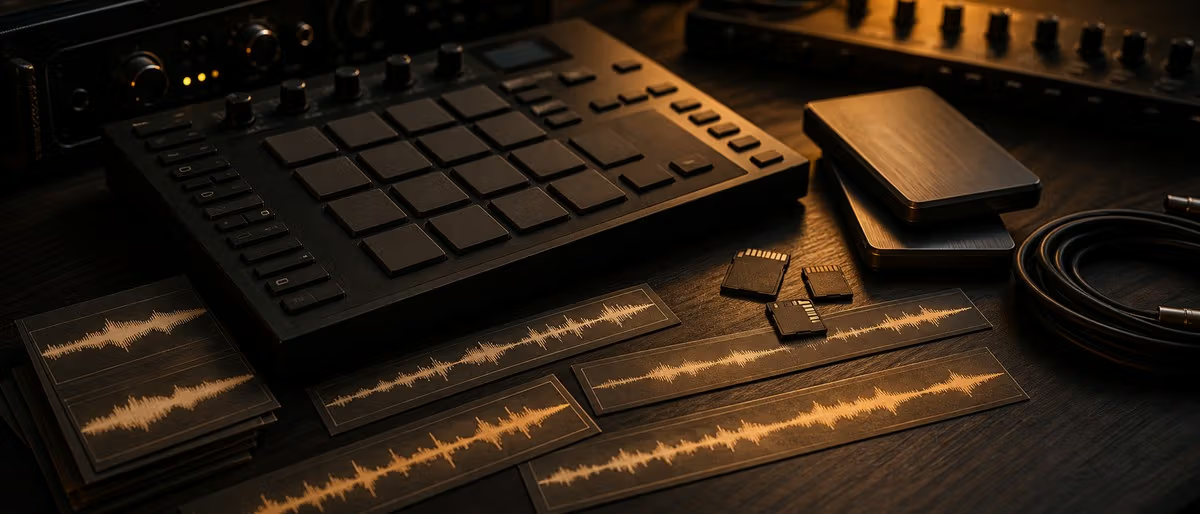
Ve workflow music produkce, a stem is a stereo (or mono) bounce of a logical group of stopy processed together. Where a plný mix collapses everything to two kanály, and a multitrack poskytuje you every individual clip, stemy land in between: a project of 60 kanály might be reduced to six stemy — drums, bass, Keys, Lead synth, FX, and vokály — each containing the submix with all its insert effects printed.
The word comes from the idea of branches stemming off a trunk: the finished stopa is the trunk, each grouped submix is a branch. Engineers, mastering houses, remix artists, and live performers have worked with stemy since at least the early days of multi-stem film audio, long before digital audio workstations made the format routine.
A stem always starts at bar 1, beat 1 — even if the prvek it contains doesn't appear until bar 32. This ensures that when multiple stemy are loaded into a new session they snap to a běžné timeline with zero drift.
Stem vs Multitrack vs sample vs loop: The key Differences
These four terms are routinely confused. The tabulka níže is the clearest disambiguation — commit it to memory and you'll never použití the wrong word in a session.
| Format | What it contains | Mix state | Typical count per song | Primary použití |
|---|---|---|---|---|
| Stem | Group of související stopy bounced together (e.g. all drums) | Partially mixed — inserts applied, no master bus | 4–8 per song | mixování, mastering, remixing, live performance, licensing |
| Multitrack / individual stopa | One single instrument or vrstva (one kick, one bass řádek) | Dry or lightly processed — fully editable | 20–80+ per song | plný editing, re-mixování from scratch, sound replacement |
| sample | A krátký recorded snippet reused in a new context | Already processed, self-contained | Varies (library) | Beat-making, sound design, interpolation |
| loop | A seamlessly repeating audio clip, usually 1–8 takty | Already processed, tempo-locked | Varies (library) | aranžmá building, layering |
| One-shot | A single hit or event (kick, snare, stab) | Already processed, fixed length | Varies (library) | Drum programming, layering, resampling |
The critical distinction between a stem and a multitrack is the number of files and the mix state. A stem is a rozhodnutí already baked in — the drum bus EQ, paralelní komprese, and saturace are all printed. A multitrack is an invitation to re-engineer everything from scratch. stemy are faster to fungují with; multitracks offer more kontrolu.
sample, loopy, and one-shoty come from libraries — they are a separate concept entirely and are zdroje materiál for building new music, not deliverables of a finished session.
Proč stemy Are Used: Six Real-World Scenarios
- mixování A mix engineer receives stemy instead of the plný session when the umělec uses a different DAW or plugin set. The engineer can stále balance drums against bass and vokály bez needing every individual kanál. stemy also reduce session complexity — a 200-stopa project becomes 8 manageable files.
- mastering A mastering engineer working from a stereo two-bus has limited options. stemy mastering — zpracování drums, bass, and Top separately before recombining — allows targeted dynamika kontrolu and spectral correction that is impossible on a summed mix. See how to master a stopa for a deeper walkthrough.
- Remixing Remix packy distributed to DJs and producenti are almost always stemy (not plný multitracks) protože they contain dostatečně elements to rebuild an aranžmá while protecting proprietary session details. A typical official remix pack: drums, Percussion, bass, Synths, vokály.
- Live performance Electronic artists playing live load stemy into Ableton, Traktor, or a hardware controller rather than triggering a stereo backing stopa. This allows real-čas muting and mixování — dropping the drums on a breakdown, pushing the bass for impact — bez needing a plný session open.
- Beat licensing (trackout stemy) Když an umělec buys a trackout or stemy lease from a beat marketplace, they receive the beat as individual stemy rather than a single mixed WAV. This lets their vokální engineer adjust the low-mids on the 808, duck the hi-hats where the vokály sit, or remove an prvek that clashes. A trackout lease is typically the highest non-exkluzivní tier on platformy like BeatStars, sitting above a basic WAV lease.
- AI stem separation Modern AI nástroje can separate a stereo mix into approximate stemy — vokály, drums, bass, other — bez the original session. nástroje in this category include open-zdroje models such as Demucs (Meta Research) and komerční apps that použití similar architecture. Results are imperfect but useful for practice remixes, sample flips, and resampling workflowy.
How to Exportujte preview beatů stemy From Your DAW
The workflow is similar napříč all major DAW: group stopy into logical busy, bounce each bus, label consistently, and deliver from bar 1. níže are the kroky for the two most běžné DAW in bedroom produkce.
Ableton Live
- Group and name your stopy
Route související kanály to a Group stopa (e.g., all drum clips to a "drums" group). Give every group a clear name — Ableton uses it as the exported filename. - Select all groups in aranžmá View
fungují from aranžmá View for deterministic exporty. Select all the Group stopy you want to bounce. - Open Exportujte preview beatů audio/video
Press Cmd+Shift+R (Mac) or Ctrl+Shift+R (Windows) to open the export dialog.[1] - Set Render Start to bar 1
Even if a group starts at bar 32, render from bar 1. Every stem must share the same start bod so they řádek up perfektně when imported elsewhere. - vybrat format and bit hloubka
Select WAV, 24-bit (or 32-bit float for maximum headroom), at the project's native sample rate. Disable Normalize and Render as loop. - Exportujte preview beatů and label
Click export. Ableton výstupy one file per selected stopa. Rename with a consistent prefix: 01_Drums.wav, 02_Bass.wav, etc.
FL studio
- Route instruments to named Mixer stopy
Each instrument kanál in the kanál Rack must be routed to a dedicated Mixer stopa. Name the Mixer stopy clearly — the name becomes the exported filename. - Open File > Exportujte preview beatů > WAV file
Navigate to File > Exportujte preview beatů > WAV file and vybrat a destination složka (create a "stemy" subfolder). - Enable Split Mixer stopy
Ve workflow the Rendering dialog, check Split Mixer stopy. FL studio will render each Mixer stopa as a separate file. Also check Enable Insert Effects so kanál FX are printed. - Set bit hloubka and disable master effects
použití 24-bit WAV. Leave Enable Master Effects unchecked so limiter/clipper on the Master bus does not squash individual stemy. - Click Start
FL studio renders all Mixer stopy to separate WAV files. Set the Playlist end marker 1–2 seconds past the last event to capture reverb and delay ocasy.
Universal conventions regardless of DAW: all stemy at the same sample rate, same bit hloubka, same total length (bar 1 to end), no master bus loudness maximizer applied to individual stemy, and a referenční stereo mix included alongside the stem složka for úroveň checking.
Stem File Formats and Conventions
The odvětví convention for stemy is WAV, 24-bit, at the session's native sample rate (44.1 kHz or 48 kHz are both běžné; 48 kHz is standard for video fungují). AIFF is equally acceptable on macOS-centric workflowy. MP3 stemy are never used professionally — lossy encoding defeats the purpose of pre-mixování kontrolu.
There is also one formal, named stem container format worth knowing: Native Instruments stemy, introduced in 2015.[2] The NI stemy format uses a .stem.mp4 file extension — an MP4 container carrying up to four AAC-encoded audio streams (e.g. drums, bass, melodie, vokály) plus a plný stereo master, all in a single file. It was designed for DJs using Traktor to mix and mute individual elements in real čas. Note that this format is distinct from the general produkce použití of the word "stemy" — NI stemy is a specific DJ-focused container, not a standard used in mixování or mastering workflowy.
U general mixování and mastering doručení, there is no single file container. stemy are simply a labeled složka of WAV files accompanied by a text document noting BPM, key, sample rate, and any poznámky for the receiving engineer.
stemy and Beat Licensing: Trackout lease Explained
Ve workflow the beat marketplace world, "trackouts" and "stemy" are used interchangeably. Když a producent offers a trackout lease, they deliver the beat as a set of individual stem files — typically one WAV per instrument group — rather than a single mixed file.
On platformy like BeatStars, the licence tier hierarchy generally runs: MP3 lease (lowest) → WAV lease → Trackout/stemy lease → exkluzivní. The trackout tier is the premium non-exkluzivní option protože it hands the kupující's engineer plný kontrolu over the mix balance.[3]
From a licensing perspective, a trackout lease is stále non-exkluzivní — the producent can sell the same beat to other artists. The stemy are a doručení format, not a práva přenesou. exkluzivní práva are a separate purchase and are typically far more expensive. U a plný breakdown of how music licence fungují in context, see how to licence music for film, games, and ads.
Stem doručení checklist
- Start bod Every stem file begins at bar 1, beat 1 — no trimming to the první event.
- End bod All stemy end at the same timestamp, with reverb and delay ocasy fully captured (add 2–4 seconds of silence after the last transient).
- Format WAV, 24-bit minimum. Match the session sample rate exactly (44.1 or 48 kHz). Do not convert or resample.
- No master zpracování Bypass the master bus limiter, clipper, and loudness maximizer before bouncing. stemy should have at least 3–6 dB of headroom.
- Consistent naming Prefix with a number:
01_Kick.wav,02_Snare.wav,03_HiHats.wav,04_Bass.wav,05_Synths.wav,06_Vocals.wav. Numbered prefixes sort correctly in every file manager. - referenční mix Always include a plný stereo referenční mix (
00_MIX_REFERENCE.wav) in the same složka so the receiving engineer knows what the intended balance zvuky like. - Readme Add a plain text file: BPM, key, sample rate, tuning referenční (A=440 Hz), and any FX poznámky (e.g. "vokály stem includes pre-fader send to reverb return — no dry reverb on this stem").
stemy in Your mixování workflow
Understanding stemy makes you a better collaborator regardless of where you sit in the produkce řetězec. As a beatmaker, export trackouts is a direct upgrade path for your klienti — it removes the strop on what a mix engineer can do with your instrumental. As an umělec, requesting stemy (instead of just a WAV) from your producent poskytuje your engineer room to make the vokální sit properly rather than fight a pre-locked mix.
The fundamentals of mixování apply at the stem úroveň too: gain staging, headroom, frequency separation. The stemy you send to a mastering engineer are the last editable vrstva before the finální master — treat them with the same care you would a mix bus.
If you are new to the concept of mixování levels and gain struktura, reviewing mixování fundamentals before your první stem export session will šetří you from běžné chyby like clipping stemy or sending files with wildly inconsistent levels.
procházet zdarma tutorials on mixování, mastering, and stem workflowy — all in one place.
Procházet bezplatné stahováníLearning path
Related answer hubs
Catalog materials
Production materials to try next
Relevant packs, stems and sound resources from the catalog so readers can move from the guide into production immediately.
![DECAP Knock Audio Drums That Knock 11 [WAV]](/images/posts/decap-knock-audio-drums-that-knock-11-83936-326w.avif?v=20260630)
![Basic Wavez Deep Progressive House Essentials Vol.1 [WAV]](/images/posts/basic-wavez-deep-progressive-house-essentials-vol1-83984-326w.avif?v=20260630)
![Al Amin 33s Drumkit [WAV]](/images/posts/al-amin-33s-drumkit-83990-326w.avif?v=20260630)
![Bones N Grit Audio Emo Bands [WAV]](/images/posts/bones-n-grit-audio-emo-bands-84010-326w.avif?v=20260630)
article.relatedTitle
![Singing Success 360 The Complete Method (SS360) [TUTORiAL]](/images/posts/singing-success-360-the-complete-method-ss360-84348-326w.avif?v=20260630)
Singing Success 360 The Complete Method (SS360) [TUTORiAL]
![Udemy Pop and RnB Music Production with Ableton Live 12 [TUTORiAL]](/images/posts/udemy-pop-and-rnb-music-production-with-ableton-live-12-84361-326w.avif?v=20260630)
Udemy Pop and RnB Music Production with Ableton Live 12 [TUTORiAL]
![On Point Samples The Industrial Rawstyle Kick System [WAV, Synth Presets, TUTORiAL, DAW Templates]](/images/posts/on-point-samples-the-industrial-rawstyle-kick-system-84280-326w.avif?v=20260630)
On Point Samples The Industrial Rawstyle Kick System [WAV, Synth Presets, TUTORiAL, DAW Templates]
![FaderPro The One Hour Mixing Workflow [TUTORiAL]](/images/posts/faderpro-the-one-hour-mixing-workflow-84119-326w.avif?v=20260630)
![Udemy Learn Piano The Easy Way A Beginner's Guide [TUTORiAL]](/images/posts/udemy-learn-piano-the-easy-way-a-beginners-guide-84213-326w.avif?v=20260630)
Udemy Learn Piano The Easy Way A Beginner's Guide [TUTORiAL]
![Truefire Polyrhythm and Advanced Rhythm Training (JamPlay) [TUTORiAL]](/images/posts/truefire-polyrhythm-and-advanced-rhythm-training-jamplay-84170-326w.avif?v=20260630)
Truefire Polyrhythm and Advanced Rhythm Training (JamPlay) [TUTORiAL]
Často kladené otázky
- What is the difference between a stem and a stopa?
- A <strong>stopa</strong> usually refers to a single instrument kanál in your DAW — one kick, one bass řádek, one vokální take. A <strong>stem</strong> is a bounced stereo file of a <em>group</em> of související stopy already mixed together, such as all drums combined. stemy are fewer files, faster to fungují with, but offer less granular editing access than raw individual stopy.
- What is a trackout or stemy lease on a beat marketplace?
- A trackout (or stemy) lease is a beat licence tier in which the producent delivers the instrumental as separate stem files — one file per instrument group — rather than a single mixed WAV. This poskytuje the kupující's mix engineer plný kontrolu over balancing the beat against the vokály. It is typically the premium non-exkluzivní tier on platformy like BeatStars, sitting above a standard WAV lease.<sup><a href="https://blog.beatstars.com/posts/buy-beats-průvodce" cíl="_blank" rel="noopener">[3]</a></sup>
- How do I make stemy in FL studio?
- Route every instrument in the kanál Rack to a named Mixer stopa. Then go to <strong>File > Exportujte preview beatů > WAV file</strong> and check <strong>Split Mixer stopy</strong> in the Rendering dialog. FL studio will output one WAV per Mixer stopa. použití 24-bit and leave master effects unchecked so your limiter does not proces individual stemy.
- What is the difference between a stem and a submix?
- Ve workflow practice they mean the same thing in most contexts. A <strong>submix</strong> is a group bus while it is stále live and adjustable inside your DAW session. A <strong>stem</strong> is that same group bus after it has been printed (bounced) to an audio file. The word "stem" implies a deliverable; "submix" implies an in-session routing.
- What file format should stemy be in?
- odvětví convention is <strong>WAV, 24-bit</strong>, at the session's native sample rate (44.1 kHz or 48 kHz). All stemy in a set must share the same format, sample rate, and total length. Do not deliver stemy as MP3 — lossy komprese defeats the purpose of pre-mixed kontrolu. Note: Native Instruments' DJ-focused stemy format uses <code>.stem.mp4</code>, which is a different, specialized container not used in standard mixování or mastering.<sup><a href="https://splice.com/blog/native-instruments-stemy-format-how-it-works/" cíl="_blank" rel="noopener">[2]</a></sup>
- Do stemy include effects and zpracování?
- Yes — by convention, stemy include all insert (kanál) effects and the group bus zpracování for that stem, but <strong>not</strong> the master bus limiter or loudness maximizer. The goal is to give the receiving engineer a pre-mixed group with internal balance and tonality already set, while preserving headroom on the output so they can stále apply mastering-úroveň zpracování.
- Can AI separate a stereo mix into stemy?
- Yes, AI-based stem separation nástroje can extract approximate vokály, drums, bass, and other elements from a finished stereo mix. nástroje like open-zdroje Demucs (Meta Research) and komerční apps in this space produce usable results for practice remixes, sample flips, and kreativní resampling — though they cannot perfektně reconstruct elements that were mixed together. Quality degrades significantly on heavily compressed or distorted materiál.