
Rychlá odpověď
A solid $300–$800 bedroom studio prioritizes a stable 2-in/2-out interface, honest headphones or small monitors, one decent mic path, and basic absorption—not boutique plugins. Spend first on conversion quality and monitoring you can trust.
Budget Philosophy: Signal Chain Before Plugins
Between $300 and $800 you can record vocals, produce beats, and mix to a level that competes on streaming—if money goes to the right layers. The wrong path is spending half the budget on a “producer bundle” of plugins while monitoring on consumer earbuds and recording through a USB gaming headset. The right path is boring: clean conversion, low-latency drivers, monitoring that reveals problems, and a quiet enough room that you are not fighting the HVAC on every take.
This guide assumes a laptop or desktop you already own. If you still need a computer, the computer budget is separate; a weak CPU with a beautiful mic still drops out mid-session. Prices below are typical street ranges as of mid-2026 and fluctuate by region and sales—treat them as planning bands, not quotes.
Three tiers work well: ~$300 survival (interface + closed headphones + basic mic or line path), ~$500 functional (better cans or entry monitors + stand + cables), and ~$800 comfortable (monitors + pads + first treatment + backup storage). Climb only when the current bottleneck is obvious.
Three Ready-Made Budget Kits
| Tier | Approx total | Core pieces | Best for |
|---|---|---|---|
| Survival | $280–$350 | 2×2 USB interface, closed headphones, XLR dynamic or large-diaphragm cond., cables | Rap vocals + sample-based beats |
| Functional | $450–$550 | Better interface preamps, open/closed mix cans or small monitors, boom stand, pop filter | Daily production + cleaner vocals |
| Comfortable | $700–$800 | Entry monitors + isolation pads, headphones for late night, basic panels/bass traps DIY, external SSD | Mix translation + long sessions |
Interfaces in this range from Focusrite, PreSonus, Audient, SSL, and MOTU all ship with workable drivers when you install the manufacturer package and set a sane buffer. Prefer class-compliant USB-C designs with clear metering and at least one good mic pre if you sing or record mics. Avoid ultra-cheap no-name units with unsigned drivers; session reliability is part of sound quality.[1]
If you must choose between “pretty RGB MIDI keyboard” and “honest headphones,” buy the headphones. MIDI can be drawn or stepped; monitoring errors compound into permanent mix decisions.
Headphones vs Monitors at This Budget
In untreated bedrooms, closed or semi-open headphones often beat bad monitors. Small speakers next to a wall create bass nulls and exaggerated midrange that you will “fix” with EQ forever. If neighbors or roommates force quiet hours, invest in mix-oriented headphones first (Audio-Technica M-series, Beyerdynamic DT 770/880 class, Sony MDR-7506 class) and add speakers when you can place them correctly.
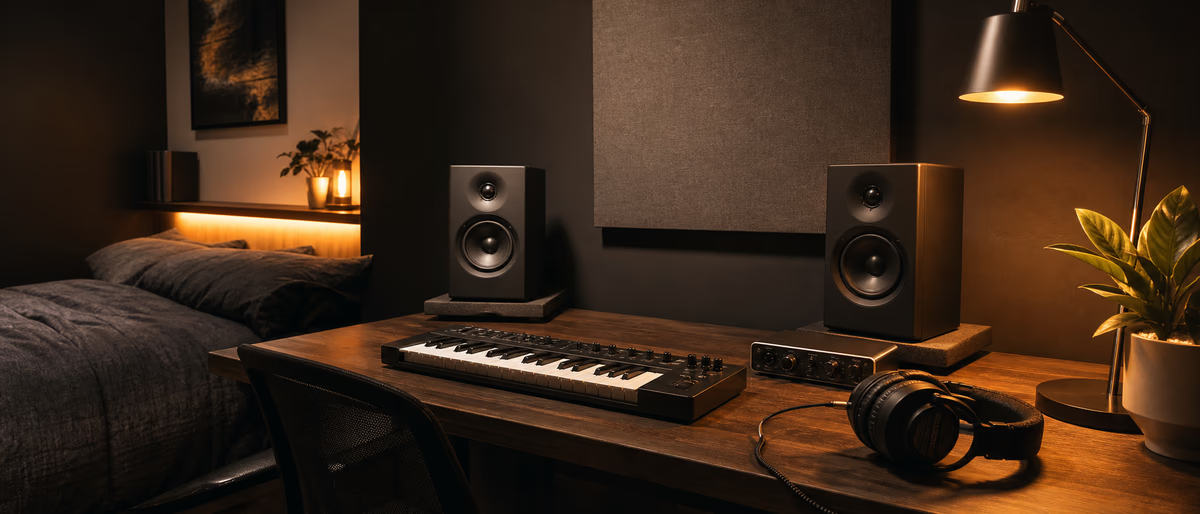
When you do buy monitors under ~$300/pair street, prioritize placement over brand mythology: equilateral triangle with the listening position, tweeters at ear height, and as much distance from walls as the room allows. Foam isolation pads help desk resonance; they do not fix a speaker jammed against drywall. Cross-check mixes on headphones, phone speaker, and a car when possible.
Room treatment under the remaining budget is cheap and high leverage: thick curtains, a rug, and DIY absorption at first reflection points beat buying a third plugin suite. Even two well-placed broadband panels change vocal recording more than most mic upgrades in this price band.
- Late-night rule Keep a closed-back pair for tracking and a second reference (cheap earbuds or phone) for translation checks.
- Speaker rule If the desk is against a wall, pull speakers forward or use stands; measure rough listening distance before purchase.
- Volume rule Mix at moderate levels; loud bedroom volumes fatigue ears and hide balance problems.
Mic Path, Noise, and Gain Staging
A large-diaphragm condenser in the $80–$150 class plus a quiet preamp records modern vocals well if the room is controlled. Dynamic mics (SM58-class or podcast dynamics) forgive untreated rooms better for loud rappers. Use a pop filter, keep 15–20 cm distance as a starting point, and high-pass gently only after you hear the take—not as a panic cut on every track.
Gain-stage so peaks sit roughly −12 to −6 dBFS on the input meter while tracking; leave headroom for loud ad-libs. Disable unnecessary Windows enhancements and exclusive-mode hijacks; on macOS, verify sample rate matches the session (48 kHz is a fine default for most online distribution).[2]
Interface direct monitoring is your friend for zero-latency headphone cues. Build a simple cue blend: dry input plus low DAW return for beat playback. Clipping the input cannot be fixed later by a “vintage” saturator.
Software Stack That Fits the Hardware Budget
You do not need a $600 plugin bundle to finish beats. A paid DAW you already know—or a free/cheap DAW with stable export—beats hopping tools. Stock EQ, compression, and a true-peak-aware limiter cover most masters aimed at streaming loudness normalization targets around −14 LUFS integrated with −1 dBTP ceiling guidance used by major platforms.[3]
Spend software money on one problem you actually have: tuning if you sing off-mic, a solid reverb if stock rooms sound metallic, or a sample library if your drums are thin. Endless free-plugin hunting is a productivity tax; pick a small set and learn gain staging.
Back up sessions and sample libraries to an external SSD once your library exceeds the internal drive’s comfort zone. Losing a project folder hurts more than buying a slightly lesser microphone.
What Not to Buy With the Last $100
Skip: acoustic foam tiles sold as “full studio kits” that only treat highs, RGB gear that does not improve conversion, five MIDI controllers when one 25-key works, and “AI mastering lifetime” coupons that lock you into mediocre defaults. Also skip ultra-budget monitors that cannot play cleanly at low volume—they train bad balance.
Do buy: a surge-protected power strip, cable management so you stop re-plugging the interface daily, a simple hardware checklist taped near the desk (sample rate, buffer, input arm), and a notebook or doc for gain settings that worked on your voice.
If your room is a concrete echo box, redirect “gear upgrade” money into rugs, bookshelves as diffusors, and door seals. Hardware cannot outrun a hostile acoustic. Revisit this budget after three finished songs—not three shopping carts.
Once the desk is stable, fill the session with solid samples and free tools—browse the catalog, then upgrade when you need on-demand processing.
Learning path
Související answer huby
Související katalog
Další software z katalogu
Další software ze zdroje Plugg Supply, seřazené podle oblíbenosti katalogu.
![AtrumLab Rumor v1.0.0 [MacOSX]](/images/posts/atrumlab-rumor-86012.avif?v=2026080101)
Oprogramowanie
AtrumLab Rumor v1.0.0 [MacOSX]
![Smokey Beats CHOKE v1.0.1 [MacOSX]](/images/posts/smokey-beats-choke-86006.avif?v=2026080101)
Oprogramowanie
Smokey Beats CHOKE v1.0.1 [MacOSX]
![Exo Audio PRYSM v1.0.2 [WiN]](/images/posts/exo-audio-prysm-86003.avif?v=2026080101)
Oprogramowanie
Exo Audio PRYSM v1.0.2 [WiN]
![Exo Audio PRYSM v1.0.2 [MacOSX]](/images/posts/exo-audio-prysm-86036.avif?v=2026080101)
Oprogramowanie
Exo Audio PRYSM v1.0.2 [MacOSX]
Související články
Oprogramowanie
AtrumLab Rumor v1.0.0 [MacOSX]
Oprogramowanie
Smokey Beats CHOKE v1.0.1 [MacOSX]
Oprogramowanie
Exo Audio PRYSM v1.0.2 [WiN]
Oprogramowanie
Exo Audio PRYSM v1.0.2 [MacOSX]
![10K Audio Gyro Pro v1.2.0 [WiN]](/images/posts/10k-audio-gyro-pro-83210.avif?v=2026080101)
Oprogramowanie
10K Audio Gyro Pro v1.2.0 [WiN]
![Lunacy Audio BEAM Bundle v2.3.1 [WiN]](/images/posts/lunacy-audio-beam-bundle-85993.avif?v=2026080101)
Oprogramowanie
Lunacy Audio BEAM Bundle v2.3.1 [WiN]
Často kladené otázky
- Is $300 enough to start selling beats?
- Yes for sample-based production with careful monitoring. Vocal recording quality depends more on room noise and mic technique than crossing the $800 line.
- Should I buy monitors or headphones first?
- Headphones first in untreated or shared rooms; monitors when you can place them correctly and treat first reflections.
- USB mic or interface + XLR?
- Interface + XLR scales better (new mics, instruments, lower latency monitoring). USB mics are fine for pure podcast-style capture but limit growth.
- Do I need acoustic treatment immediately?
- You need some control immediately—even soft furnishings. Formal panels can wait until monitoring reveals flutter echo or boom.
- What sample rate should I use?
- 48 kHz / 24-bit is a practical default for modern delivery. Consistency across the session matters more than jumping to 96 kHz on budget converters.
- Can I mix only on headphones?
- Many producers do for years. Use multiple references, watch low-end mono compatibility, and take breaks to avoid ear fatigue.
- Where do free samples and plugins fit?
- They stretch the budget well after hardware is stable. Organize libraries early so free packs do not become a search black hole.