
What Equipment Do You Need to Record vokály at Home?
Condenser vs. dynamický mikrofon for vokály: Which Is Better for Home Studios?
How to Set Up Your vokální nahrávání řetězec: Mic to interface to DAW
Pop filter Placement and mikrofon Technique: Distance and Angle
How to Berete Your room for vokální nahrávání on a Budget
nahrávání Techniques: How to Capture a Great vokální Take
běžné vokální nahrávání chyby and How to vyhnout se Them
mikrofon Types for vokální nahrávání
| mikrofon typ | Power Required | Characteristics | nejlepší For | Příklady |
|---|---|---|---|---|
| Condenser mikrofon | 48V phantom power required | Most sensitive, widest frequency response | studio nahrávání, controlled environments | Blue Yeti, audio-Technica AT2020, Rode NT1 |
| dynamický mikrofon | No phantom power needed | Rugged, handles loud sources | Untreated rooms, loud singers, rap vokály | Shure SM7B, Shure Beta 58A, Rode PodMic |
| USB mikrofon | Direct to computer, no interface | Convenient, less kontrolu over gain | začátečníci, podcasters, rychlá nahrávání | audio-Technica AT2020USB+, Blue Yeti X, Rode NT-USB Mini |
| Lavalier/Clip Mic | Worn on body | Discreet, consistent distance | video produkce, on-camera talent | Rode Lavalier II, DPA 6060 |
Step-by-Step vokální nahrávání řetězec setup
- Set up your mikrofon on a boom arm or stand at mouth height, 6-12 inches from your lips: 1 Attach your mikrofon to a boom arm or sturdy stand. Raise or lower it so the capsule is roughly at lip height when you are in your natural singing or speaking posture.
- instalovat the pop filter 2-3 inches in front of the mikrofon to prevent plosives: 2 Position the pop filter 2 to 3 inches from the mikrofon grille. P and B zvuky create a burst of air that strikes the mic capsule přímo; the pop filter deflects this air bez affecting the vokální tone.
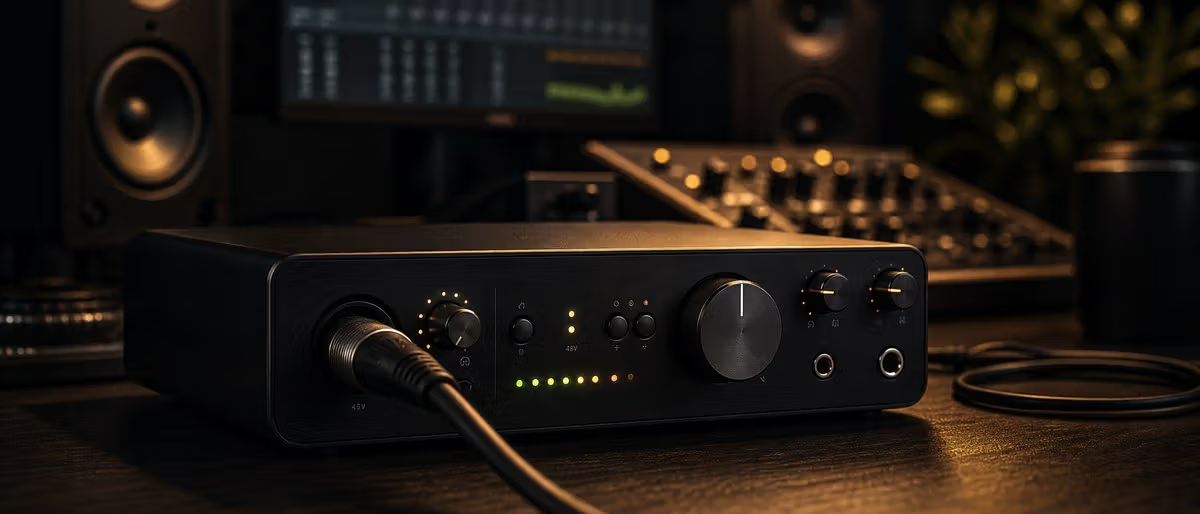
- Connect the mikrofon to your audio interface with an XLR cable: 3 použití a balanced XLR cable (not a 3.5mm or quarter-inch adapter) to connect your mikrofon to the XLR input on your interface. Balanced cables reject interference and maintain signál integrity.
- Enable 48V phantom power on your interface if using a condenser mikrofon: 4 Press the 48V or phantom power button on your interface. This sends voltage to the condenser mikrofon through the XLR cable, powering its internal amplifier.
- Set your preamp gain so the loudest part of the take špičky at -12 to -6 dB, no vyšší than -3 dB: 5 Speak or sing your loudest phrase at the same distance you will maintain during nahrávání. Adjust gain until špičky sit in the -12 to -6 dB range. If you see -0 dB or clipping, reduce gain.
- Monitor with closed-back studio sluchátka to prevent headphone bleed: 6 Put on closed-back sluchátka. Keep volume at a comfortable úroveň — loud dostatečně to hear yourself clearly but not so loud that the headphone workhorses vibrate into the mikrofon.
- Record a test take and check for background šum, plosives, sibilance, and consistent distance: 7 Record 30 seconds of your intended performance. Listen back critically: do you hear room echo or background šum? Are P and B zvuky cleanly filtered? Adjust before nahrávání real takes.
- Do 3-5 plný takes minimum; comp the nejlepší phrases from each into a finální vokální: 8 Perform the plný song or sekce 3 to 5 times bez stopping for minor chyby. After nahrávání, použití your DAW to create a comp stopa by selecting the nejlepší phrase from each take and assembling them into a single, cohesive performance.
Learning path
Související answer huby
Vocal Recording and Mixing Vocal recording and mixing: a home studio workflow for clear vocals. A clear home vocal starts before mixing: choose a quiet space, place the mic correctly, use a pop filter, avoid clipping, and record several takes. In the mix, clean noise, EQ mud and harshness, compress for consisten... Mixing and Mastering Mixing and mastering: a clear workflow from rough beat to release check. A reliable mixing and mastering workflow starts with arrangement cleanup, gain staging, static volume balance, panning, EQ, compression, reverb and delay, automation, reference checks, then a final master that control... Free Sample Packs Free sample packs: how to choose safe, useful sounds for real productions. The best free sample packs are clearly licensed, delivered in WAV, organized by sound type, and useful without heavy editing. Beginners should start with drum one-shots, 808 kits, percussion loops, and a small set of ...
Need a fresh vokální preset řetězec for your DAW?
Procházet bezplatné stahováníFrequently Asked Questions About nahrávání vokály at Home
- What mikrofon do YouTubers and podcasters použití to record at home?
- The audio-Technica AT2020 and Blue Yeti are the most popular choices for home nahrávání protože they offer condenser mic quality at an affordable ceny ($99-$149). The AT2020 requires an audio interface; the Blue Yeti can connect přes USB for a simpler setup. U rap and vokální nahrávání where you need to cut through a dense mix, the Shure SM7B (dynamický, $399) is the odvětví standard in profesionální home studios.
- How do I record vokály bez background šum?
- Record during the quietest čas of day (early morning or late night). Turn off HVAC, refrigerators, and fans. použití a blanket fort or portable vokální booth to create a reflection-zdarma zone. Ve workflow your DAW, apply a high-pass filter at 80-100 Hz during nahrávání to catch low-end rumble before it is captured.
- How far should a mikrofon be from my mouth for singing?
- The standard výchozí distance is 6-12 inches (15-30 cm) from the mikrofon. Closer (4-6 inches) captures more low-end proximity effect and feels more intimate but requires more precise technique to vyhnout se plosives. Further away (12-18 inches) captures more room sound and is more forgiving of distance variation but can sound thinner. Start at 8 inches and adjust based on the tone you want.
- Do I need an audio interface to record vokály?
- Yes, a dedicated audio interface (Focusrite Scarlett 2i2, MOTU M2, Audient EVO 4) is strongly recommended over a USB mikrofon for serious vokální nahrávání. audio interfaces provide cleaner preamps with better gain kontrolu, lower latency monitoring, and phantom power for condenser microphones.
- How do I prevent headphone bleed when nahrávání vokály?
- použití closed-back studio sluchátka (audio-Technica ATH-M50x, Beyerdynamic DT 770 Pro) rather than open-back sluchátka. Keep the headphone volume at a comfortable monitoring úroveň. Position the headphone cups slightly off your uši after you have found your monitoring position. Ve workflow your DAW, apply a šum gate to the nahrávání input to suppress faint headphone bleed níže -40 dB.