
What is a DAW
Rychlá odpověď
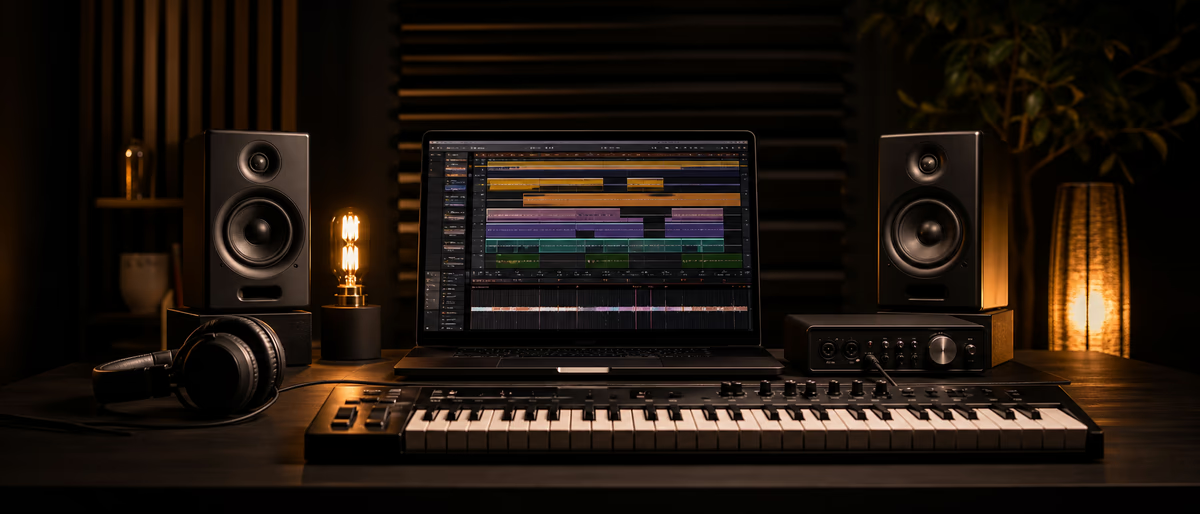
A DAW (digital audio workstation) is software for recording, editing, and producing audio — the central hub of a home or pro studio.[1] You arrange tracks, program MIDI, mix with effects, and export finished files for streaming, clients, or beat stores.
What Does DAW Mean in Music Production?
DAW stands for digital audio workstation. In plain terms, it is the program on your computer (or sometimes a dedicated hardware unit) where you capture sound, edit it, layer instruments, mix the balance, and bounce a final file you can play anywhere.[2]
Avid — the company behind Pro Tools — describes a DAW as software that lets you record, edit, and produce audio, and as the central hub of a studio setup.[1] That hub idea is the useful mental model: mics, MIDI keyboards, plugins, sample packs, and headphones all connect through the DAW session.
You do not need a commercial studio to use one. A laptop, headphones, and a free or trial DAW are enough to start arranging beats, recording vocals, and learning the same workflows used on commercial records. For a broader beginner path, see music production for beginners and our guide to the best DAW for beginners.
- Software DAW Apps such as FL Studio, Ableton Live, Logic Pro, REAPER, GarageBand, or BandLab running on a computer or mobile device.
- Integrated / hardware DAW Self-contained recorders and mixers with screens and storage (less common for bedroom producers today, but still part of the industry definition).[2]
- Session / project The file that holds your tracks, plugins, automation, and arrangement — the “song document” you open day after day.
What a DAW Actually Does: Record, MIDI, Mix, Export
Every major DAW wraps four jobs that used to need separate rooms of gear. Learn these four roles and the rest of the interface starts to make sense.
1. Recording audio
Plug in a mic or instrument via an audio interface or USB mic, arm a track, hit record. The DAW writes digital audio (typically WAV/AIFF-style PCM) onto disk and shows waveforms you can cut, move, fade, and time-align. Multitrack recording means vocals, guitars, and rooms each sit on their own lanes for later mixing.[1]
2. MIDI sequencing and virtual instruments
MIDI is performance data — notes, velocity, CC — not sound itself. Your DAW records MIDI from a controller or piano roll, then routes it to a built-in synth, drum rack, or third-party instrument plugin. That is how most trap drums, 808 patterns, and pad layers get programmed without a physical studio full of hardware. Read the full primer: what is MIDI in music production.
3. Mixing and effects
Each track has level, pan, inserts (EQ, compression, saturation), and sends (reverb, delay). The mixer view mirrors a hardware console: you balance elements, carve frequency space, and automate rides so the chorus hits harder than the verse. Core skills live in mixing fundamentals and tools like compression.
4. Arrangement and export (bounce / render)
The timeline is where intro–verse–chorus structure lives: clips, loops, markers, and tempo changes. When the track is ready, you export (also called bounce or render) to a stereo master — often WAV for archive/clients and a lossy format for previews. Export is also how you freeze heavy plugins, create stems for collabs, or upload to DistroKid, BeatStars, or YouTube.
- Transport Play, stop, record, loop — the tape-deck metaphor almost every DAW still uses.[2]
- Tracks Audio tracks hold recordings and samples; instrument/MIDI tracks hold note data driving plugins.
- Mixer Channel strips for gain, EQ, dynamics, sends, and master bus processing before export.
- Browser / library Where stock sounds, user samples, and installed plugins are searched and dragged into the project.
Popular DAWs Compared (Free Paths, Platforms, Strengths)
There is no single “best” DAW — there is a best fit for your OS, genre habits, and budget. Paid list prices change often, so this table focuses on platforms, free or evaluation paths (from official sources), and typical strengths. Always re-check the vendor page before you buy.
| DAW | Platforms | Free / trial path (official) | Typical strengths |
|---|---|---|---|
| Ableton Live | macOS, Windows | 30-day Live Suite trial; Live Lite free with many hardware bundles and Ableton Note users | Session View clips, live performance, electronic production |
| FL Studio | Windows, macOS | Free trial — time-unlimited path can save/export but not reopen projects until licensed; time-limited path unlocks full save/reload | Pattern workflow, piano roll, hip-hop / EDM beatmaking |
| Logic Pro | Mac only | No free full Logic; GarageBand is free on Mac as the common first step | Stock library, scoring/tools depth, Apple ecosystem |
| REAPER | Windows, macOS, Linux | 60-day fully functional evaluation (no registration required to evaluate) | Custom routing, scripting, low resource use |
| GarageBand | Mac, iOS/iPadOS | Free from Apple | Absolute beginners, loops, simple recording |
| BandLab | Web, iOS, Android | Studio tools free to download and use (optional paid membership for extras) | Phone/browser collabs, social sharing |
| LMMS | Windows, macOS, Linux | Free and open source | Budget composition, beatmaking without a license |
| Audacity | Windows, macOS, Linux | Free and open source | Multitrack record/edit; lighter “full production suite” feature set |
Official free/trial references: Ableton’s 30-day trial and Live Lite pages;[3][4] Image-Line’s FL Studio trial limitations;[5] Cockos REAPER’s 60-day evaluation;[6] Apple GarageBand;[7] BandLab download FAQ;[8] LMMS;[9] and Audacity.[10]
If you want host-specific walkthroughs next: what is FL Studio, Ableton Live for beginners, or a timed first project in how to make your first beat in 30 minutes.
How Plugins Fit Inside a DAW
A DAW ships with stock instruments and effects, but the real expandability comes from plugins — small apps the host loads on tracks. Steinberg’s VST standard is the most widely known on Windows and cross-platform hosts; macOS also uses Audio Units (AU); Avid’s Pro Tools ecosystem centers on AAX. Formats and folders are covered in depth in plugin formats: VST, AU, AAX and what is a VST plugin.
Conceptually, plugins fall into two buckets you will use every day:
- Instruments (VSTi / soft synths) Synths, samplers, drum machines — loaded on MIDI/instrument tracks. Examples free producers use constantly: Vital, Surge XT, stock FL generators.
- Effects (FX) EQ, compressors, reverbs, delays, saturators — inserted on audio or instrument channels, or on send/return buses.
The DAW is the host: it owns the project timeline, sample rate, buffer size, and plugin scan paths. The plugin is the guest: it processes audio or generates sound when the host asks. If a new free synth does not appear after install, you rescan — not reinstall the whole DAW. Step-by-step rescans: how to rescan VST plugins in your DAW.
Stock tools are enough to finish songs. Third-party free plugins become useful when you need a specific sound or a cleaner workflow — browse verified free tools on /software and free packs under /libraries instead of random “cracked VST” sites.
How to Choose Your First DAW (Practical Steps)
Switching DAWs later is normal — skills transfer (gain staging, EQ, arrangement). Pick something you can open tonight and finish a 16-bar loop in, not the one with the flashiest influencer endorsement.
- Match your computer and budget
Mac-only households often start in free GarageBand then move to Logic.[7] Windows/Linux users can evaluate REAPER for 60 days or install free LMMS / Audacity.[6][9][10] Cross-platform commercial contenders: Ableton Live and FL Studio (trial both before paying).[3][5] - Match your primary workflow
Beats and patterns → FL Studio’s step sequencer culture. Looping clips and live sets → Ableton Session View. Traditional linear multitrack → Logic, REAPER, Cubase/Pro Tools-style timelines. Phone-first ideas → BandLab or GarageBand iOS.[8] - Install one host and finish a tiny song
Import a free drum kit, program 8 bars of drums + bass + one melody, rough mix, export WAV. Skills stick faster than another three hours of “which DAW” videos. Use the 30-minute first beat guide as a timer. - Add free plugins and samples only after the host feels familiar
Learn stock EQ and a stock reverb first. Then expand: best free VST plugins, free EQs, what is a sample pack. - Upgrade when a real limit blocks finished work
Examples: trial cannot reopen projects (FL unlimited trial path), need more I/O for a band, or you outgrew GarageBand’s depth. Buy the host you already use daily — not the one you only watched demos of.
A First Session Map (Any DAW)
Menus differ; the production loop does not. Use this map so you are not staring at empty tracks.
- Set tempo and key
Pick a BPM (e.g. 140 for trap, 124 for house) and a simple key. Turn on the metronome. - Lay drums
Drag one-shots or a kit onto a drum rack / Channel Rack. Kick–snare–hat first, then percussion. Free kits: free drum kits. - Add bass and harmony
Program MIDI for an 808 or bass synth; add 2–4 chord hits or a pad. Theory help: chord progressions for producers. - Record or drop a melodic hook
MIDI piano roll lead, guitar DI, or a vocal scratch — one clear idea is enough. - Rough mix and export
Balance levels, light EQ, one shared reverb send. Export a stereo WAV. Celebrate the file existing — polish comes later via mixing fundamentals.
Free Tools, Samples, and What to Learn Next
A DAW alone is an empty workshop. Stock libraries get you far; free third-party plugins and sample packs fill the gaps without a credit card.
Plugg Supply catalogues free VSTs, sample packs, and presets aimed at bedroom producers — start at /software for instruments and effects, then /libraries for kits and one-shots. Pair downloads with hygiene: correct install folders, format match (VST3 vs AU), and a rescan after every install.
Learn the host
One DAW deeply beats three DAWs poorly. Follow beginner paths for FL or Ableton if those are your pick.
Guides: FL Studio, Ableton, first beat
Learn the language
MIDI, sample packs, stems, LUFS — vocabulary unlocks tutorials and collabs faster.
Start: MIDI + sample packs
Learn the mix chain
EQ, compression, reverb, limiting on the master — order matters more than boutique plugins.
Next: Mixing fundamentals
Related deep dives once the DAW basics click: MIDI tutorial for beginners, samples vs loops vs one-shots, and plugin formats explained.
Common DAW Myths (Skip These)
- “Pros only use one DAW” Pros use whatever finishes the job. Collabs bounce stems; the listener never hears which host mixed the 808.
- “I need every plugin first” Empty plugin folders finish more songs than a 200-plugin graveyard. Stock EQ + compressor + reverb cover most beginner mixes.
- “I must buy the top edition day one” Trial the workflow. Buy when a concrete limit (project reopen, track count for your real sessions, missing stock tools you use daily) forces the purchase.
Expand your DAW with free verified VSTs and tools — browse Plugg Supply software downloads.
Learning path
Související answer huby
Nástroje
Software a pluginy pro tento pracovní postup
Pluginy, DAW a produkční nástroje připojené k pracovnímu postupu popsanému v tomto článku.
![APU Software Plugins Pack 2026.09.16 [WiN]](/images/posts/apu-software-plugins-pack-85972.avif?v=2026080101)
Oprogramowanie
APU Software Plugins Pack 2026.09.16 [WiN]
![KeySolutions Sounds Traveler Bundle v1.0.9 [WiN]](/images/posts/keysolutions-sounds-traveler-bundle-85877.avif?v=2026080101)
Oprogramowanie
KeySolutions Sounds Traveler Bundle v1.0.9 [WiN]
![Tweakbench Noemi v1.0.1 [WiN, LiNUX]](/images/posts/tweakbench-noemi-85853.avif?v=2026080101)
Oprogramowanie
Tweakbench Noemi v1.0.1 [WiN, LiNUX]
![True Stage Audio Stage Focus Pro v1.0.0 [WiN]](/images/posts/true-stage-audio-stage-focus-pro-85852.avif?v=2026080101)
Oprogramowanie
True Stage Audio Stage Focus Pro v1.0.0 [WiN]
Často kladené otázky
- What is a DAW in music production?
- A DAW (digital audio workstation) is software used to record, edit, arrange, mix, and export audio. It is the central program producers work in — from first drum loop to final bounce.[1]
- Do I need a DAW to make beats?
- Yes for a full production workflow (MIDI drums, instruments, mix, export). Phone apps and web studios like BandLab still count as DAWs; they just run in a browser or mobile shell.[8]
- What is the best free DAW for beginners?
- On Mac, GarageBand is free and full-featured for starters.[7] Cross-platform free options include LMMS and Audacity;[9][10] BandLab’s studio tools are free to use.[8] REAPER offers a 60-day full evaluation.[6] “Best” depends on your OS and whether you need MIDI-heavy beatmaking vs simple audio editing.
- Is FL Studio free?
- Image-Line provides a free trial. In the time-unlimited trial path you can save and export but cannot reopen saved projects until you buy; a time-limited unlocked period allows save and reload.[5] Full ongoing use without those limits requires a license.
- What is the difference between a DAW and a VST plugin?
- The DAW is the host project environment (timeline, mixer, export). A VST (or AU/AAX) plugin is an instrument or effect the host loads on tracks. Plugins do not replace the DAW — they extend it. See what is a VST plugin.
- Can I switch DAWs later without losing skills?
- Yes. Transport, tracks, MIDI, inserts, sends, and bounce translate across hosts. You relearn menus and shortcuts, not the craft of arrangement and mixing.
- What do I need besides a DAW to start?
- Headphones or monitors, storage space, and optional gear (MIDI keyboard, audio interface, mic). Free stock sounds are enough for day one; add free plugins and sample packs as you hit real sound gaps via /software.