
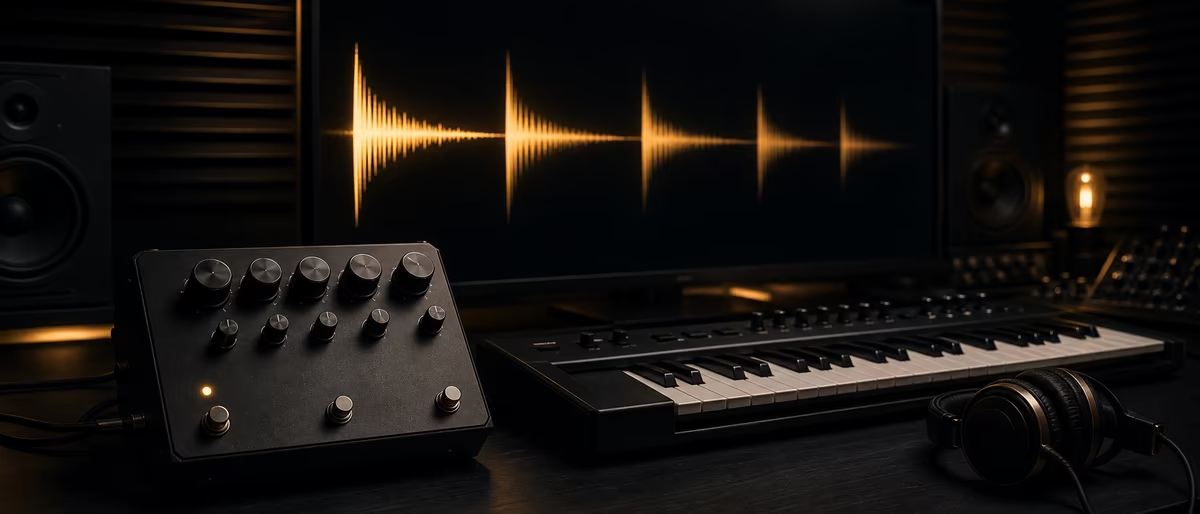
What is delay in music production?
Rychlá odpověď
Delay is a time-based effect that stores audio and plays it back later as one or more echoes. Set delay time (ms or note values), feedback (how many repeats), and mix/wet (how loud the echoes are). Use slapback, tape, digital, or ping-pong delays for depth without the wash of reverb.
What is delay in music production?
Delay is an echo: the plugin (or pedal) holds a copy of your signal and releases it later so you hear a clear repeat of the original sound.[1] Unlike reverb, which smears many reflections into a continuous space, delay usually keeps each echo distinct—so you keep depth and rhythm without muddying the midrange.
Producers use delay to add space, stereo width, rhythmic bounce, and character to vocals, guitars, synths, and percussion. It is one of the core tools in any stock DAW and almost every free or paid effects pack. For broader mix context, pair this guide with mixing fundamentals for music producers.
- Time-based, not dynamics Compression changes loudness over time; delay copies the signal and shifts that copy later. Dynamics still matter for gain staging—see audio compression explained and gain staging—but delay is primarily a timing and space tool.
- Hardware roots, plugin today Tape machines in the 1950s–60s created early slapback echoes that defined rock and roll vocals and guitars; modern plugins and pedals model tape, analog bucket-brigade, and clean digital paths.[1]
- Insert vs send On an insert, balance dry and wet with the mix control. On a return/send bus, set the delay fully wet so only the echoes return—Ableton’s manual explicitly recommends Dry/Wet at 100% when Delay sits on a return track.[2]
Core controls: time, feedback, and mix
Almost every delay unit shares the same three primary knobs. BOSS’s pedal overview lists effect level (wet amount), feedback (repeat count), and time (gap between original and echo) as the standard control set, plus mode, tap tempo, and hold on many units.[3]
- Delay time How long the plugin waits before playing the first repeat. Short times thicken or slap; longer times create obvious rhythmic echoes. In Ableton Live’s Delay, you can set time in tempo-synced beat divisions or free milliseconds from 1.00 ms up to 5.00 seconds.[2] BOSS notes that short times favor slapback or doubling, while longer times suit pronounced echo or percussive patterns.[3]
- Feedback How much of the delayed output is fed back into the delay line. Low feedback means one or two repeats; high feedback stacks a long trail. BOSS describes feedback as controlling how many times the delayed signal repeats, and notes that high settings can approach self-oscillation—escalating, chaotic trails.[3] In Live’s Delay, feedback loops are independent per channel when stereo lines are unlinked.[2]
- Mix / wet / effect level How loud the echoes sit against the dry source. On a send, keep the delay 100% wet and automate send level instead. On an insert, start moderate and pull back until the delay supports the part instead of competing with it.
- Filter, tone, and modulation Many delays high-pass or low-pass the wet path so repeats sit behind the dry signal. Live’s Delay can place a band-pass filter before the delay line and modulate delay time or filter frequency with an LFO for chorus-like motion or glitchy movement.[2]
Smoothing when you change time
Changing delay time while audio is playing can click or pitch-shift. Ableton’s Delay offers three transition modes: Repitch (pitch varies like tape when time moves—default), Fade (crossfades old and new times), and Jump (instant switch, can click if the previous delay is still decaying).[2] Use Repitch when you want tape-style sweeps; Fade for smoother automated throws.
Types of delay: slapback, tape, analog, digital, ping-pong
BOSS groups delay into three technical families—tape, analog, and digital—then many musical styles sit inside those families.[3] Knowing the family tells you how clean the repeats are and how they degrade over time.
| Type | Character | Typical use | Feedback feel |
|---|---|---|---|
| Slapback | One quick single echo; dry and present | Vocals, guitars, rockabilly energy | Near zero—usually one hit |
| Tape | Warm, slightly unstable; can pitch when time moves | Vintage vocals, guitars, lo-fi textures | Medium; tails can get dirtier |
| Analog (BBD) | Darker, warmer, progressive soft degradation | Pedal tones, sticky synth leads | Medium; warmer trails |
| Digital | Clean, precise, wide feature set | Tempo sync, multi-tap, modern pop/EDM | From one repeat to infinite |
| Ping-pong | Repeats alternate left/right | Stereo width on mono sources | As set; motion comes from L/R bounce |
Slapback delay
Slapback is a short, usually single echo that thickens a performance without a long trail. It grew out of tape-machine tricks in 1950s–60s rock and roll, where the gap between record and playback heads created a tight “slap.”[1] In modern mixes, keep feedback at or near zero so you hear one clean slap; start wet/dry around half and often pull it down so the echo supports rather than doubles the lead.[4]
Tape and analog (bucket brigade)
Tape delay emulates magnetic tape paths—warmth, slight pitch instability, and trails that can distort as feedback rises. Analog “bucket brigade” delays (BBDs) sample the signal through capacitor stages; BOSS describes them as delivering warm, rich repeats that degrade gently over time, with more predictable results than aging physical tape.[3] Simply Mixing notes that bucket-brigade designs arrived as a more robust road alternative to tape and tend to sound darker than tape with accurate short echoes.[1]
Digital and ping-pong
Digital delay stores audio in a buffer and plays it back with high fidelity. That cleanliness enables tempo sync, multi-tap patterns, ducking, and precise stereo modes.[1] Ping-pong delay routes successive repeats between left and right. In Ableton Live’s Delay, the Ping Pong toggle makes the delay signal move back and forth across the stereo field.[2] Use it on mono vocals or leads when you want width without a full reverb bed.
Tempo-synced delay and musical note values
Tempo sync locks delay time to the project BPM so echoes land on musical grid positions—eighths, dotted eighths, quarters, and so on. In Live, Sync mode sets delay in sixteenth-note steps (for example, selecting 4 delays by four sixteenths, i.e. one quarter note / one beat).[2]
Manual ms formula (when sync is off)
If your plugin only shows milliseconds, convert BPM with the standard formula used across engineering references: quarter-note delay (ms) = 60,000 ÷ BPM. At 120 BPM that is 500 ms per quarter; an eighth is 250 ms and a sixteenth is 125 ms.[5][6]
| Division | At 120 BPM | At 140 BPM | Musical feel |
|---|---|---|---|
| 1/4 note | 500 ms | ~429 ms | Wide, half-time echo |
| 1/8 note | 250 ms | ~214 ms | Straight rhythmic bounce |
| Dotted 1/8 | 375 ms | ~321 ms | Classic pop/EDM off-grid push |
| 1/16 note | 125 ms | ~107 ms | Tight, busy tails |
| Slap / free | ~60–120 ms | ~60–120 ms | Single short slap, usually unsynced |
Dotted eighths are popular on vocals and plucks because they answer the dry phrase slightly late and create forward motion. Straight eighths or sixteenths work well on arps and hats when you want the delay to feel like part of the groove. For width-only jobs, short unsynced times (tens of ms) behave more like stereo thickening than a rhythmic echo—related technique territory to stereo widening without a dedicated widener.
Delay vs reverb: when to use which
Reverb builds a dense cloud of reflections; delay fires discrete copies. Simply Mixing’s beginner overview stresses that heavy reverb can muddy a mix quickly, while delay is often the cleaner way to add size and still keep separation between instruments.[1]
- Prefer delay when… You need rhythmic interest, a short slap on a vocal, stereo bounce (ping-pong), or depth without filling the low-mids. Delay throws on hook words also cut through denser arrangements.
- Prefer reverb when… You want a continuous sense of room, hall, or plate that glues the source into a space rather than answering it with timed echoes.
- Use both when… A short delay (or pre-delay mindset) keeps the dry attack clear, then a quieter reverb blooms behind. High-pass the wet paths on both so the dry vocal or lead stays forward. Free starting points: best free reverb plugins and best free delay VST plugins.
Creative uses on vocals, drums, and synths
Vocals
Slapback for intimacy and vintage presence; tempo-synced eighth or dotted-eighth for pop hooks; ping-pong for wide ad-libs. Automate send level on key words only (“delay throws”) so verses stay dry. See also how to mix vocals.
Drums & percussion
Short delays on claps or snare add size; longer sync delays on sparse percussion create polyrhythmic trails. Keep feedback low so the groove does not smear into the next bar. Filter lows out of the wet path.
Synths & guitars
Tape or analog modes glue digital synths; digital multi-tap builds arpeggio clouds; high-feedback self-oscillation (use carefully) can become a riser or special effect.[3] Pair with vocal chops or resampling when you print delay into audio for further mangling.
A practical rule: if the delay draws attention to itself more than the performance, lower mix, shorten feedback, or filter the wet path harder. Delay should solve a space or rhythm problem—not compete for lead volume.
How to set up a delay in your DAW (step by step)
- Choose insert or send
For one track with a fixed vibe, insert is fine. For shared vocal/instrument ambience and automation, create a return track, put the delay on it, and set Dry/Wet to 100% so only echoes return.[2] - Pick time mode
Enable tempo sync for musical grid echoes, or free ms for slapback and non-grid texture. If you only have ms, use 60,000 ÷ BPM for a quarter note, then halve or multiply for other divisions.[5] - Set feedback for the job
Slapback: near 0% for a single echo.[4] Rhythmic delay: low–medium so 2–4 repeats die before the next phrase. Ambient wash: higher feedback plus heavy filtering. Avoid runaway self-oscillation unless you want that chaos as a FX moment.[3] - Balance mix and tone
Bring wet up until you feel space, then pull back slightly. High-pass the wet path; optionally low-pass so repeats sit behind the dry source. Enable ping-pong if you want L/R motion on a mono lead.[2] - Automate throws
Ride send level on last words of lines, fill gaps between phrases, or dump into a half-bar of high feedback before a drop. Mute the send when the arrangement gets dense.
Free delay plugins and next steps
You do not need a premium suite to learn delay. Stock delays in FL Studio, Ableton, Logic, and Reaper already cover time, feedback, mix, sync, and often ping-pong. When you want extra character—tape models, multi-tap patterns, or creative modulation—browse verified free tools on Plugg Supply’s software catalog and our roundup of best free delay VST plugins.
After delay sits in the chain, revisit mixing fundamentals, free reverb options, and vocal mixing so space, dynamics, and tone reinforce each other instead of stacking wet-on-wet mud.
Practice slapback and tempo-synced delays on one vocal, then grab free verified delay plugins from Plugg Supply.
Learning path
Související answer huby
Nástroje
Software a pluginy pro tento pracovní postup
Pluginy, DAW a produkční nástroje připojené k pracovnímu postupu popsanému v tomto článku.
![KeySolutions Sounds Traveler v1.0.9 [WiN]](/images/posts/keysolutions-sounds-traveler-85900.avif?v=2026080101)
Oprogramowanie
KeySolutions Sounds Traveler v1.0.9 [WiN]
![Tweakbench Noemi v1.0.1 [WiN, LiNUX]](/images/posts/tweakbench-noemi-85853.avif?v=2026080101)
Oprogramowanie
Tweakbench Noemi v1.0.1 [WiN, LiNUX]
![Key Solutions Traveler v1.0.9 [WiN]](/images/posts/key-solutions-traveler-85832.avif?v=2026080101)
Oprogramowanie
Key Solutions Traveler v1.0.9 [WiN]
![Smokey Beats CHOKE v1.0.1 [WiN]](/images/posts/smokey-beats-choke-85700.avif?v=2026080101)
Oprogramowanie
Smokey Beats CHOKE v1.0.1 [WiN]
Často kladené otázky
- What is delay in music production?
- Delay is a time-based effect that stores audio and plays it back later as distinct echoes. You control how late the first repeat is (time), how many repeats you hear (feedback), and how loud those repeats are (mix/wet).[1]
- What is the difference between delay and reverb?
- Delay creates separate, timed repeats of the original sound. Reverb blends many reflections into a continuous sense of room or hall. Delay usually keeps more clarity; reverb fills space more densely and can muddy a busy mix faster if overused.[1]
- What is slapback delay?
- Slapback is a short, usually single echo that thickens vocals or guitars without a long trail. It comes from early tape-machine techniques; modern settings keep feedback near zero so you hear one clean slap rather than a cascade of repeats.[1][4]
- How do I calculate delay time from BPM?
- Use quarter-note ms = 60,000 ÷ BPM. At 120 BPM a quarter note is 500 ms, an eighth is 250 ms, and a sixteenth is 125 ms. Many plugins also offer tempo sync so you pick note values instead of typing milliseconds.[5]
- What is ping-pong delay?
- Ping-pong delay bounces successive repeats between the left and right channels, adding stereo movement. In Ableton Live’s Delay device, a Ping Pong toggle enables that left/right motion.[2]
- Should I put delay on a send or an insert?
- Both work. Inserts are simple for a fixed per-track sound. Sends let multiple tracks share one delay and make “throws” easy with automation. When delay is on a return track, set the effect fully wet so only the delayed signal comes back.[2]